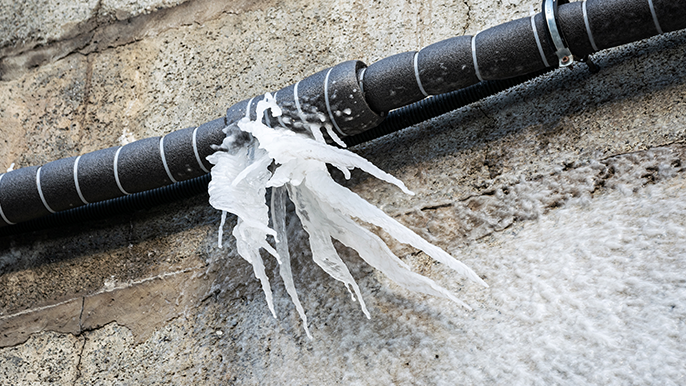
A 12-point Google Business Profile checklist for plumbers: categories, hours, photos, reviews and posts that help you show up first for emergency calls this winter.
The short answer: To show up first when someone searches "emergency plumber near me," your Google Business Profile needs the right category, every service listed, honest hours, a clear service area, fresh photos, steady reviews with replies, and regular posts. Get those in place before the first hard freeze, when burst-pipe calls start.
When a pipe bursts at 2 a.m., the homeowner doesn't visit five websites. They search on their phone, look at the three plumbers on the map, and call one. Your Google Business Profile decides whether you're one of those three.
Google says local results are based mainly on three things: relevance (how well your profile matches the search), distance (how close you are), and prominence (how well-known you are, including your reviews). You can't change where you're located, but you can control the other two. This checklist shows how. Source: Google Business Profile Help.
The 12-point checklist
Get found (relevance)
- Set "Plumber" as your primary category. Then add secondary categories that truly fit, like "Drainage service" or "Water heater installation service."
- List every service you offer. Burst pipe repair, frozen pipe thawing, drain cleaning, water heater repair and replacement, sump pumps, sewer line repair. Each one is another search you can match.
- Write a plain description. Two or three sentences on what you do, where you work, and whether you offer emergency service. Skip the keyword stuffing.
- Set your service area. List the towns and neighborhoods you actually cover. If you work from home or a shop customers don't visit, hide your address and show the service area instead.
Look trustworthy (prominence)
- Ask for a review after every job. Text a direct review link the same day. Google says more reviews and positive ratings can help your local ranking.
- Reply to every review. Thank people by name and mention the job and town naturally: "Thanks, Mike! Glad we got your frozen line thawed in Kanata before it cracked."
- Handle bad reviews calmly. Reply once, stay polite, offer to make it right offline. Future customers read your reply more than the complaint.
- Keep your name, address and phone identical everywhere. Your website, Facebook, Yelp, Bing and directories should all match your Google profile exactly.
Turn views into calls
- Show hours you can actually keep. If you offer 24/7 emergency service, list it and make sure someone picks up. If you don't, say when you'll call back.
- Upload real photos every week. Trucks, crew, before-and-after jobs, a thawed line, a new water heater. Real beats stock every time.
- Post twice a month. A winter tip ("How to keep pipes from freezing"), a finished job, or a seasonal offer like a water heater checkup.
- Turn on calls and messages, and answer fast. A missed call at 2 a.m. goes to the next plumber on the map.
Your winter prep timeline
Quick answer: Do the setup work in October and early November, so your profile is ready before the first cold snap brings a wave of emergency calls.
- Now: Fix categories, services, service area and hours.
- Next two weeks: Upload a batch of real job photos and start a review request after every job.
- Before the first freeze: Post frozen-pipe prevention tips and confirm who answers after-hours calls.
- All winter: Post twice a month, reply to every review, and keep photos fresh.
Common mistakes that cost plumbers calls
- Listing 24/7 hours with nobody answering. Homeowners remember, and they leave reviews about it.
- A business name stuffed with keywords. "Best Emergency Plumber Ottawa 24/7" breaks Google's rules and can get your profile suspended. Use your real business name.
- Setting it up once and walking away. A profile with old photos and no recent posts looks closed.
- Ignoring the Q&A and messages. Unanswered questions sit there for every future customer to see.
For more on why your profile matters, read The Silent Salesperson You Haven't Set Up. For the bigger picture, see Top Digital Marketing Trends for Plumbers in 2026.
Why plumbers choose Leads4Trades
A strong Google profile gets you seen. Leads4Trades helps you turn that into a steady stream of booked jobs.
- Exclusive plumbing leads. Your leads are yours, not shared with the plumber down the street.
- No long-term contracts. Month to month, because we'd rather earn your business than lock you in.
- Google Business Profile management. Optimization, weekly content, review generation and replies, and monthly reporting.
- Google and social ads working together, sent to landing pages built to turn visitors into calls.
- Real support from people who understand the trades.
Want your profile ready before the first freeze? Book your free plumbing strategy call or call us at 1-833-454-4400.
Google Business Profile FAQs for plumbers
How do plumbers rank higher on Google Maps?
Pick the right primary category, list every service, set an accurate service area, and keep a steady flow of reviews with replies. Complete, accurate information and a strong review record help Google trust your profile.
Should I list my plumbing business as 24/7?
Only if someone really answers around the clock. Listing 24/7 and missing calls leads to bad reviews. If you don't offer it, show your real hours and use an after-hours message.
How many Google reviews does a plumber need?
There's no magic number. What matters is having more recent, positive reviews than the plumbers you compete with, and adding new ones every month.
Can I put keywords in my business name?
No. Use your real business name. Adding words like "emergency" or a city name breaks Google's guidelines and can get your profile suspended.
How often should a plumber post on Google Business Profile?
At least twice a month. Seasonal tips, finished jobs and offers all work. Regular activity shows homeowners you're open and busy.
Do I need a storefront to have a Google Business Profile?
No. Plumbers who visit customers can hide their address and show a service area instead.
Last updated: October 2026.